
8.1 KiB
本小节中,我们来解决 Maven 多模块工程中,如果在父 pom 中定义了统一版本号 revision ,单独对某个子模块执行 clean package 打包失败的问题。
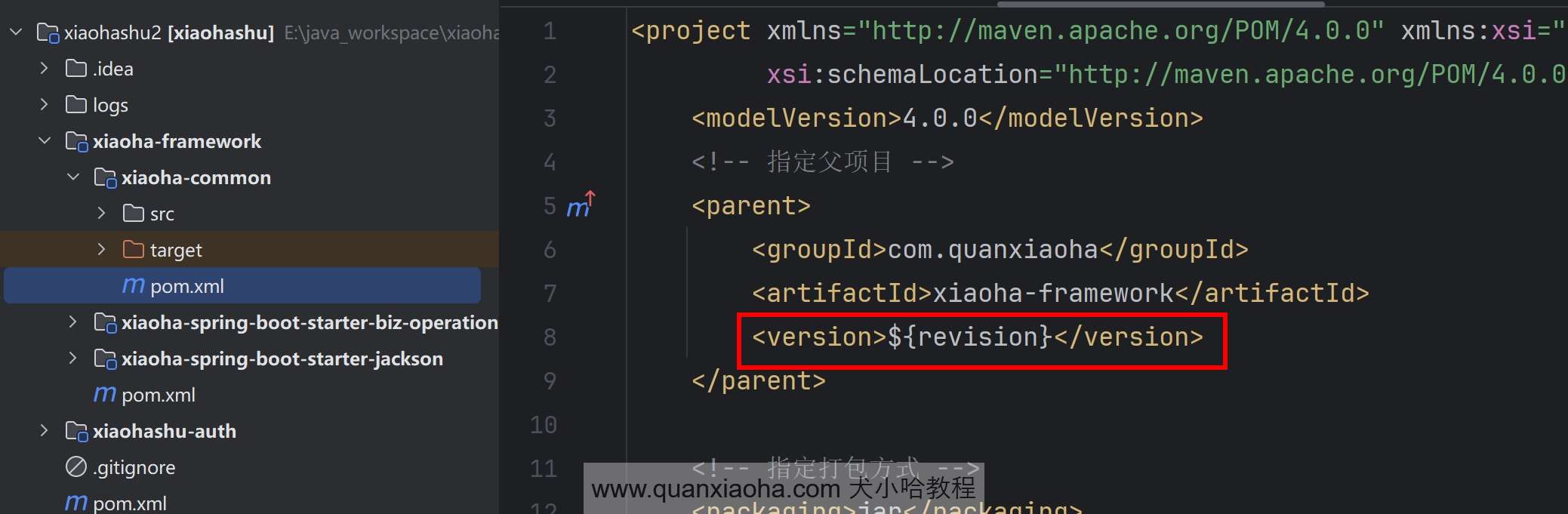
其实,这个问题在星球第一个项目 中,就有小伙伴问过我,我当时给的回复是,多模块工程需要针对父 pom 进行打包,这种解决方式,针对一个单体项目是合适的。但是,针对微服务多模块工程,每个服务都需要单独打 Jar 包,而整个应用又划分了很多个的微服务,当我想对其中某个服务打包时,如果对父 pom 打包,所有服务都会打包一次,那岂不是我要等半天? 显然是不合适的。
1. 复现子模块打包失败问题
接下来,我们来亲自感受一下这个问题。首先,对父类 pom 执行 clean package 打包命令,如下图所示:
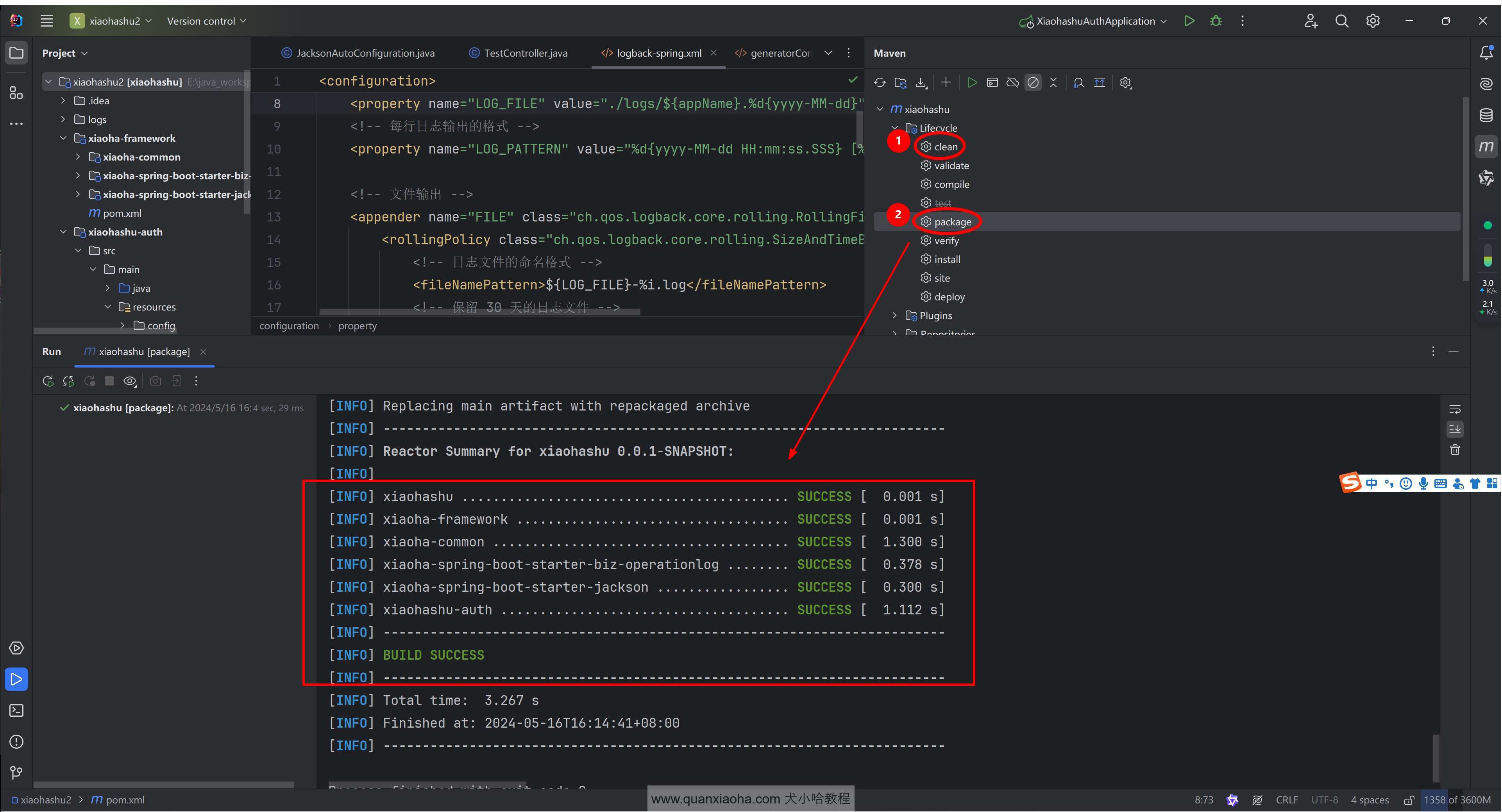
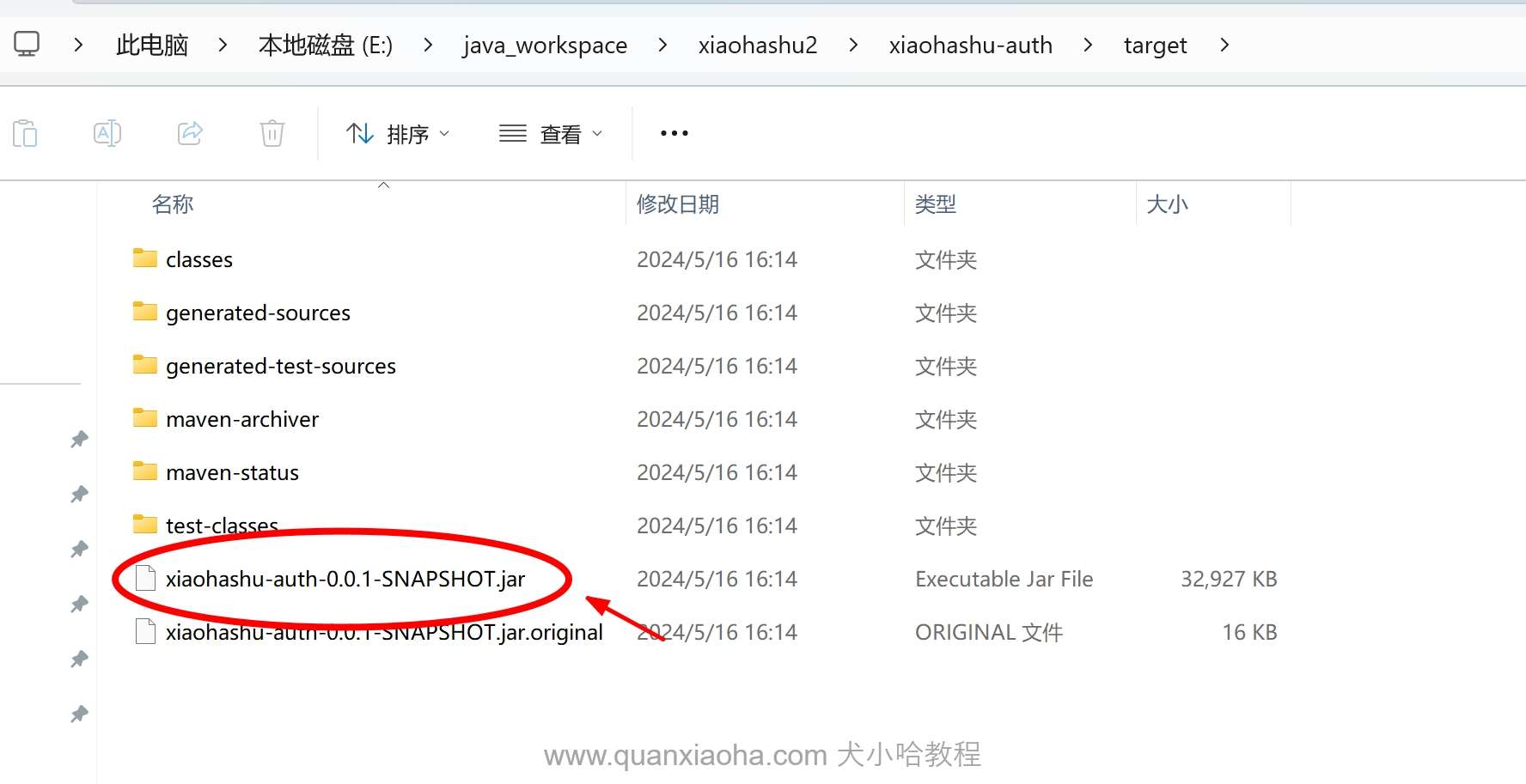
可以看到,控制台中提示 BUILD SUCCESS , 项目构建成功,进入到认证服务的 /target 目录下,确实是打包成功了:
接下来,打开 IDEA 右侧栏,对 xiaohashu-auth 模块单独进行打包:
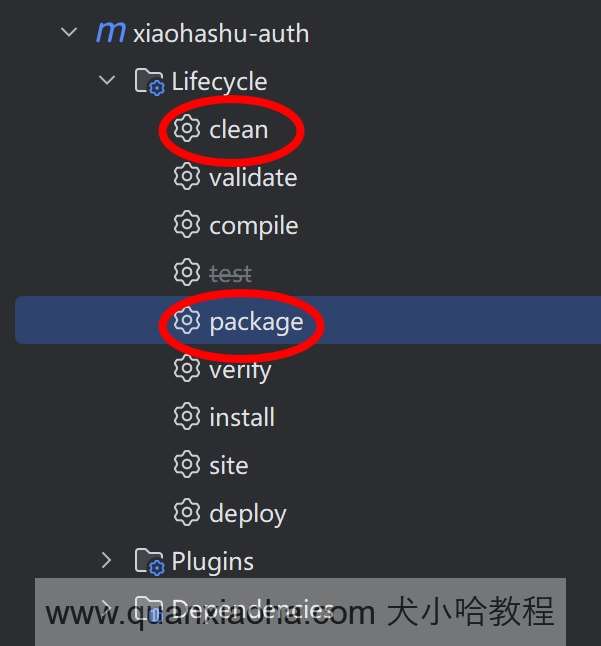
恭喜你,控制台会获得如下报错信息:
[INFO] Scanning for projects...
[INFO]
[INFO] -------------------< com.quanxiaoha:xiaohashu-auth >--------------------
[INFO] Building xiaohashu-auth 0.0.1-SNAPSHOT
[INFO]   from pom.xml
[INFO] --------------------------------[ jar ]---------------------------------
Downloading from huaweicloud: https://mirrors.huaweicloud.com/repository/maven/com/quanxiaoha/xiaoha-framework/$%7Brevision%7D/xiaoha-framework-$%7Brevision%7D.pom
[INFO] ------------------------------------------------------------------------
[INFO] BUILD FAILURE
[INFO] ------------------------------------------------------------------------
[INFO] Total time:  0.776 s
[INFO] Finished at: 2024-05-16T16:22:17+08:00
[INFO] ------------------------------------------------------------------------
[ERROR] Failed to execute goal on project xiaohashu-auth: Could not resolve dependencies for project com.quanxiaoha:xiaohashu-auth:jar:0.0.1-SNAPSHOT: Failed to collect dependencies at com.quanxiaoha:xiaoha-common:jar:0.0.1-SNAPSHOT: Failed to read artifact descriptor for com.quanxiaoha:xiaoha-common:jar:0.0.1-SNAPSHOT: The following artifacts could not be resolved: com.quanxiaoha:xiaoha-framework:pom:${revision} (absent): Could not transfer artifact com.quanxiaoha:xiaoha-framework:pom:${revision} from/to huaweicloud (https://mirrors.huaweicloud.com/repository/maven/): status code: 400, reason phrase:  (400) -> [Help 1]
[ERROR]
[ERROR] To see the full stack trace of the errors, re-run Maven with the -e switch.
[ERROR] Re-run Maven using the -X switch to enable full debug logging.
[ERROR]
[ERROR] For more information about the errors and possible solutions, please read the following articles:
[ERROR] [Help 1] http://cwiki.apache.org/confluence/display/MAVEN/DependencyResolutionException

Process finished with exit code 1
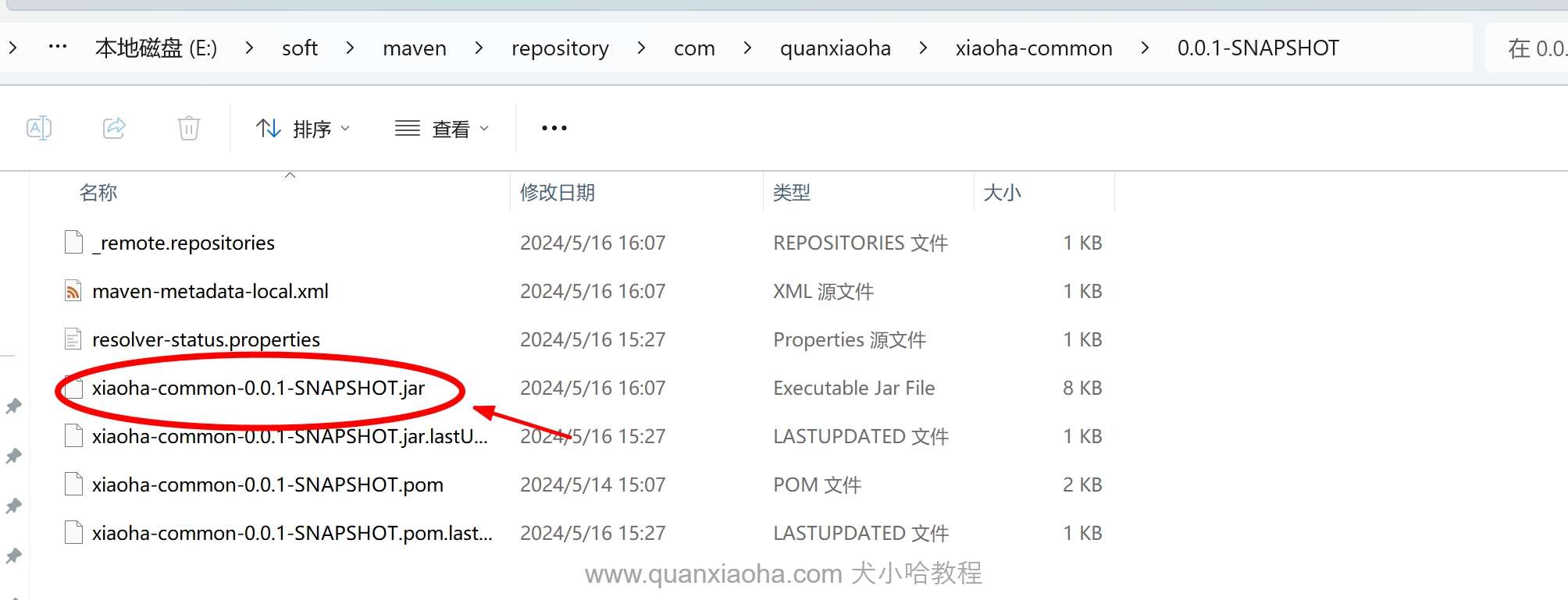
查看上面报错信息,提示无法读取公共模块的依赖:com.quanxiaoha:xiaoha-common:jar:0.0.1-SNAPSHOT 。这就奇怪了,之前我们对父 pom 执行过 clean install 命令,已经将公共模块打包到本地仓库了,进入本地仓库,对应的 jar 包也确实是有的,如下图所示:
2. 打包失败原因
继续挖掘报错信息,看看能不能获取更有用的提示。可以看到下面的内容:
Could not transfer artifact com.quanxiaoha:xiaoha-framework:pom:${revision} from/to huaweicloud (https://mirrors.huaweicloud.com/repository/maven/)
提示我们无法从中央仓库下载
com.quanxiaoha:xiaoha-framework:pom:${revision}。版本号不对劲 !!! 怎么是${revision}!!!
问题原因:在多模块项目中,如果使用到
revision占位符进行版本号管理。此时,如果单独打包子项目时,是不能将${revision}替换成父pom中的版本号的,最终打包时,就会提示找不到依赖。
3. 引入 flatten-maven-plugin 插件
3.1 什么是 flatten-maven-plugin 插件?
flatten-maven-plugin 将项目的 pom.xml 文件转换成一个更简单的扁平版本,包含消费者所需的关键信息。这个扁平的 POM 文件会去除构建相关的配置和不必要的细节,留下一个更干净、简单的 POM,便于理解和管理。
使用该插件有如下优势:
-
简化 POM 文件: 扁平化后的 POM 去除了构建插件、配置文件等构建过程中的不必要细节,使其更简单、更易于下游项目消费。
-
提高可重复性: 通过扁平化,确保消费者获得一致且可重复的项目依赖和元数据,避免构建时的变异。
-
减少大小和复杂性: 该插件有助于减少 POM 文件的大小和复杂性,便于理解和排除故障。对于包含复杂构建配置的大型项目尤其有用。
-
优化分发: 在将项目分发到 Maven 中央仓库或其他仓库时,扁平化 POM 确保只包含必要的信息,避免由于构建时配置导致的潜在问题。
3.2 开始整合
编辑项目最外层的 pom.xml 文件,声明 flatten-maven-plugin 版本号并添加该插件:
    <properties>
        // 省略...

        <flatten-maven-plugin.version>1.5.0</flatten-maven-plugin.version>

        // 省略...
    </properties>

    // 省略...

    <build>
        <!-- 统一插件管理 -->
        <pluginManagement>
            <plugins>
                // 省略...
            </plugins>
        </pluginManagement>

        <plugins>
            <!-- 统一 revision 版本, 解决子模块打包无法解析 ${revision} 版本号问题 -->
            <plugin>
                <groupId>org.codehaus.mojo</groupId>
                <artifactId>flatten-maven-plugin</artifactId>
                <version>${flatten-maven-plugin.version}</version>
                <configuration>
                    <flattenMode>resolveCiFriendliesOnly</flattenMode>
                    <updatePomFile>true</updatePomFile>
                </configuration>
                <executions>
                    <execution>
                        <id>flatten</id>
                        <phase>process-resources</phase>
                        <goals>
                            <goal>flatten</goal>
                        </goals>
                    </execution>
                    <execution>
                        <id>flatten.clean</id>
                        <phase>clean</phase>
                        <goals>
                            <goal>clean</goal>
                        </goals>
                    </execution>
                </executions>
            </plugin>
        </plugins>
    </build>
注意:这里
flatten-maven-plugin是定义在pluginManagement节点外的,子模块无需再手动引入,直接让其全局生效。
插件添加完毕后,再次对父 pom 执行打包:
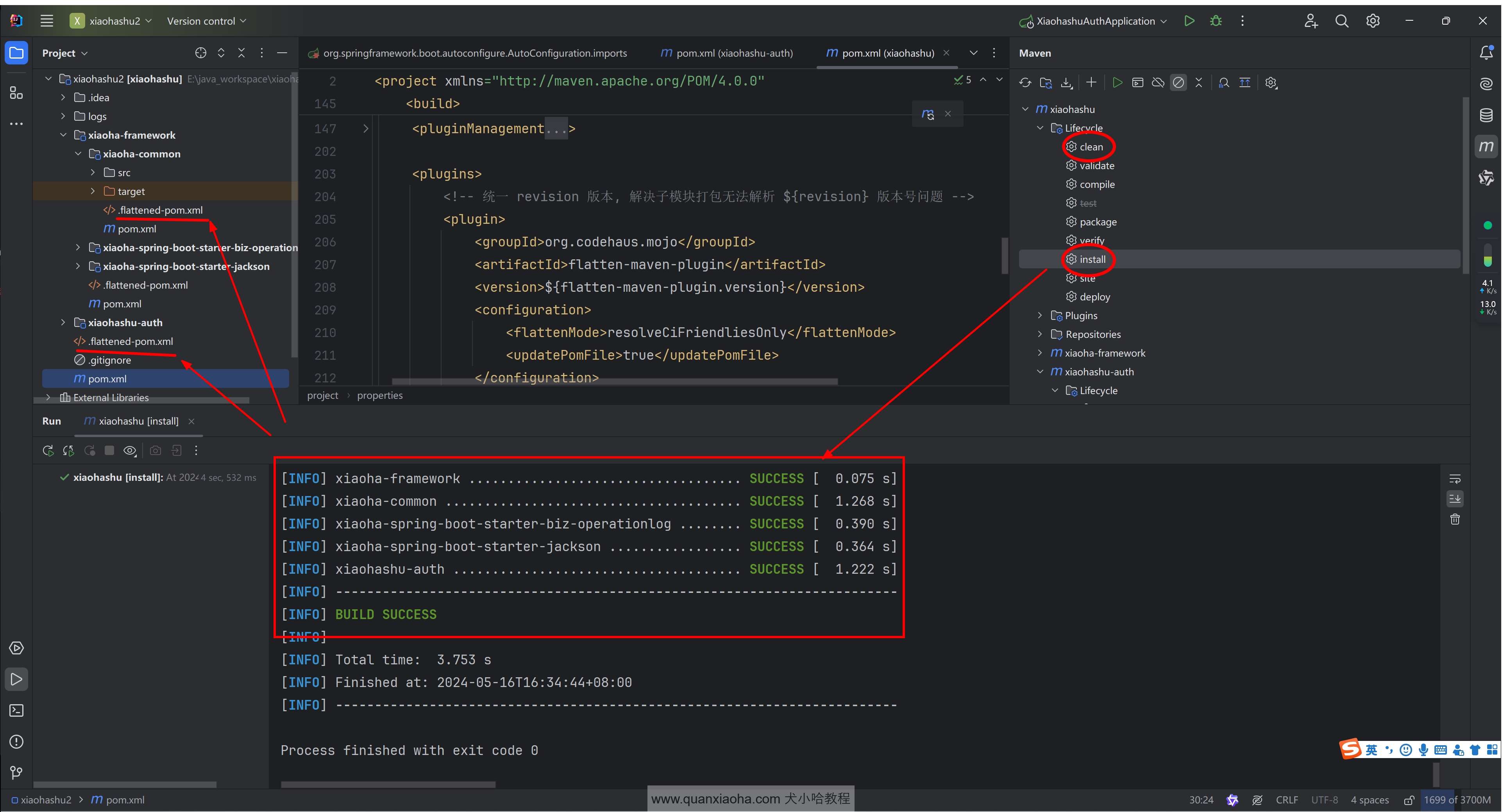
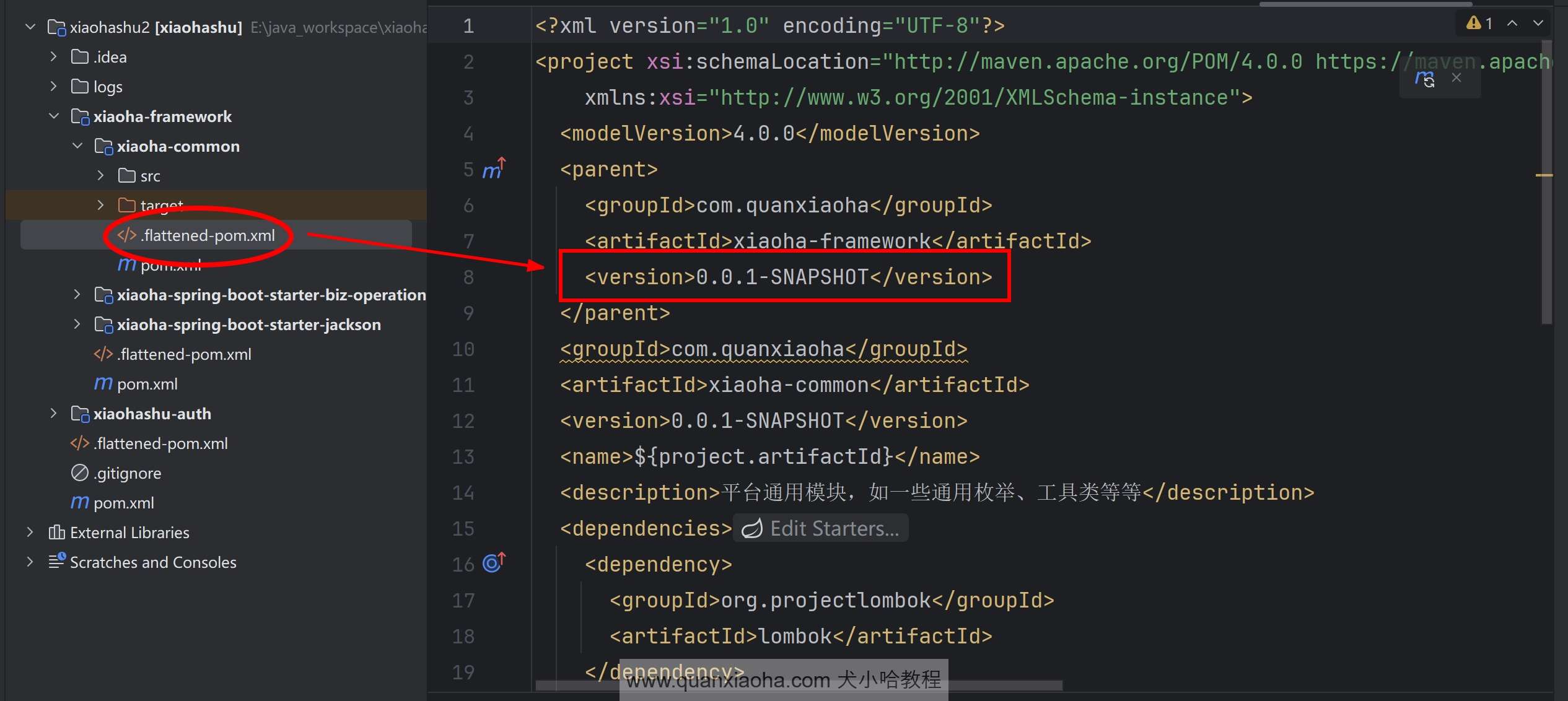
可以看到,对应各模块 pom.xml 文件的同级目录下,额外生成了一个 .flattened-pom.xml 文件,打开该文件看一下,可以看到 ${revision} 被替换成了实际的版本号:
3.3 测试一波
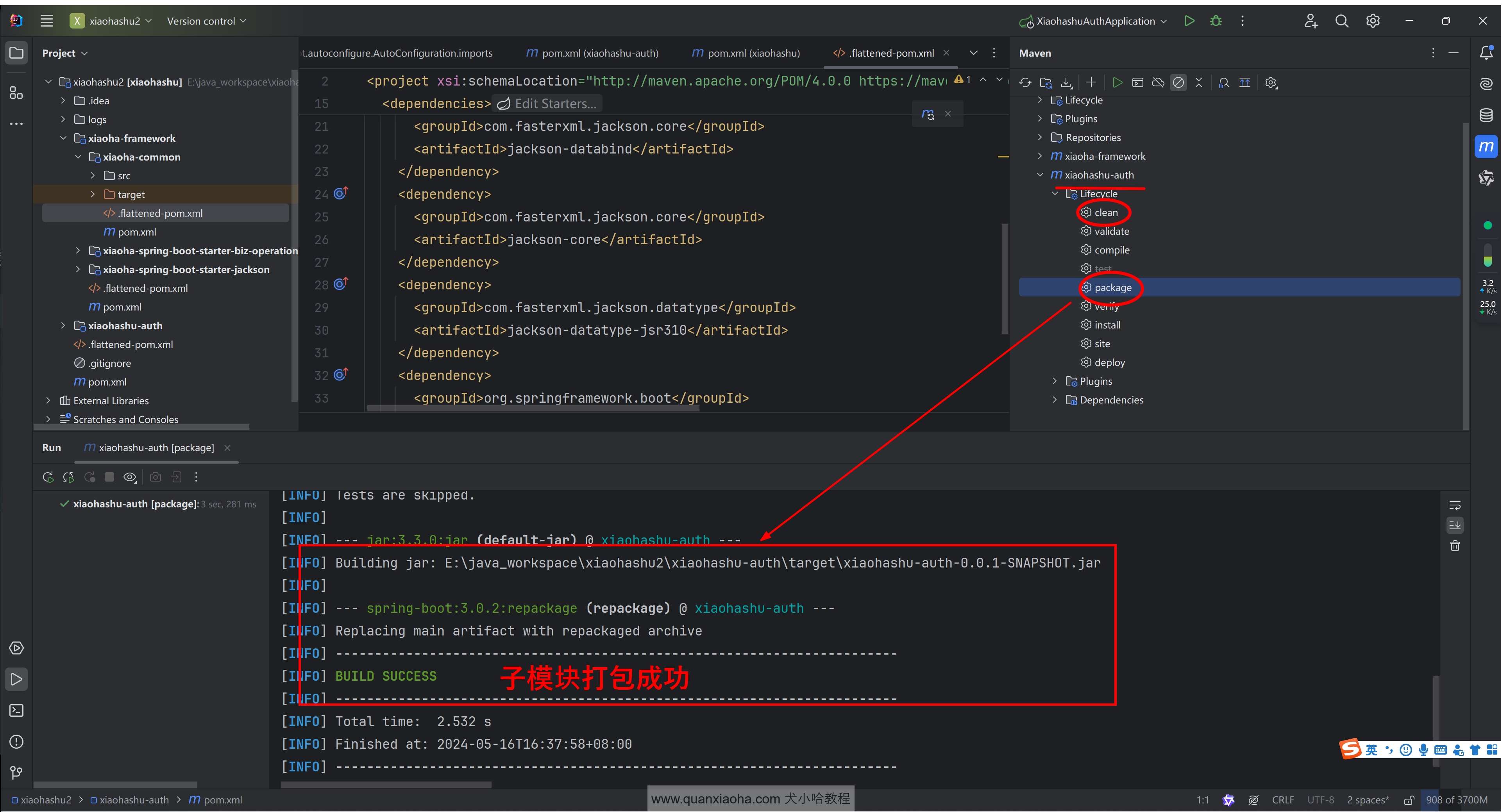
再次对 xiaohashu-auth 子模块进行打包,maven 就会解析 .flattened-pom.xml 文件进行打包,可以看到,这次就打包成功了:
认证服务子模块的 /targets 文件下打包文件也是有的:
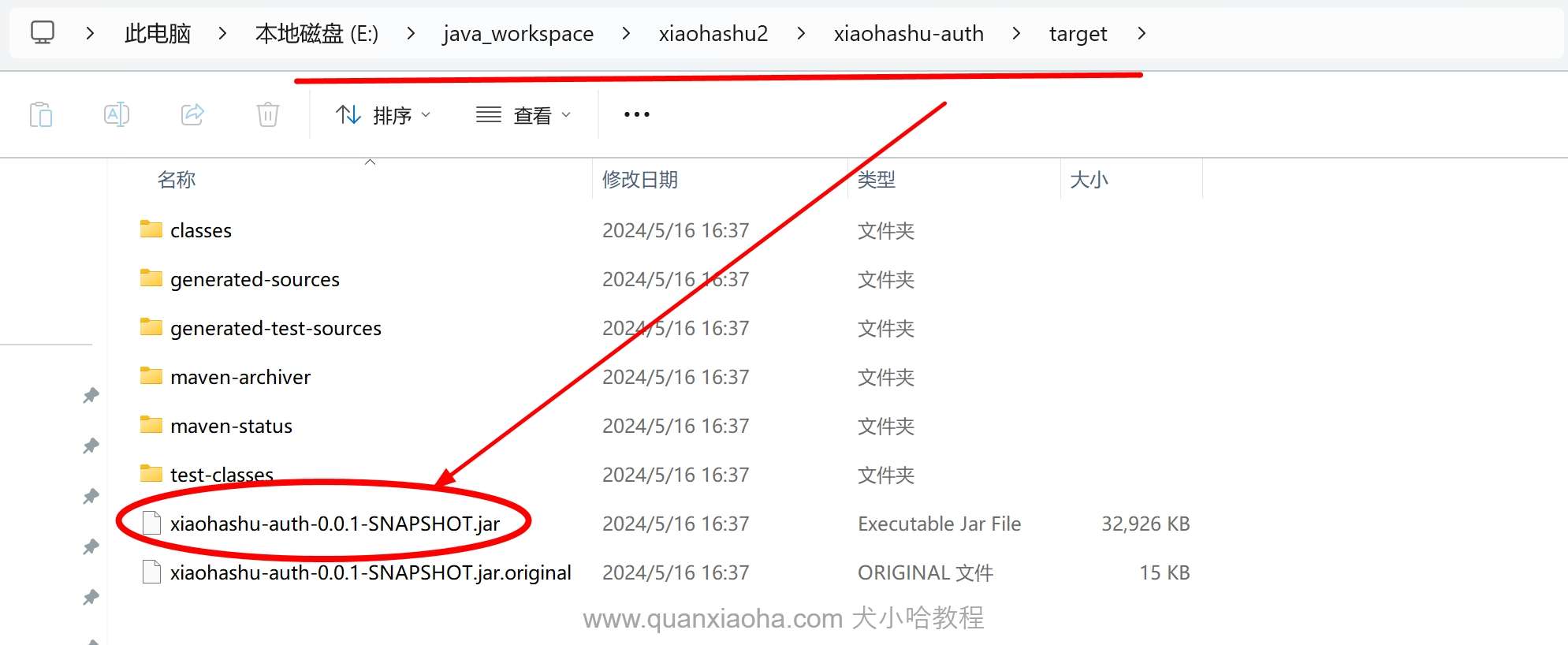
至此,多模块项目中,无法对子模块单独打包的问题,也就解决了~