
9.1 KiB
title, url, publishedTime
| title | url | publishedTime |
|---|---|---|
| 笔记内容新增接口开发 - 犬小哈专栏 | https://www.quanxiaoha.com/column/10323.html | null |
本小节中,我们将在 KV 键值存储服务中,将笔记内容新增接口开发完成,并添加对应的 Feign 客户端接口,以方便后续笔记服务直接调用。
接口定义
接口地址
POST /kv/note/content/add
入参
{
    "noteId": 1, // 笔记 ID,由笔记服务生成 ID, 并传给 KV 键值存储服务
    "content": "笔记内容测试" // 笔记内容
}
出参
{
	"success": true,
	"message": null,
	"errorCode": null,
	"data": null
}
创建 DTO 实体类
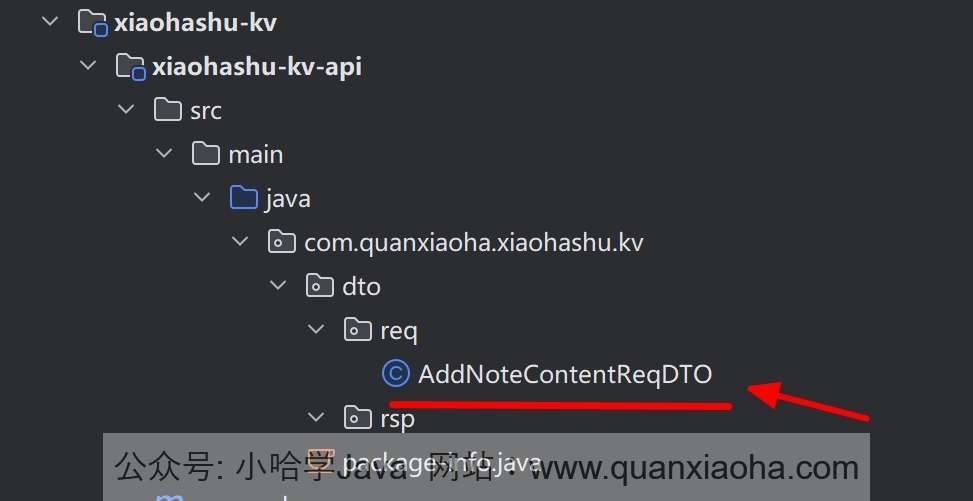
接口定义完毕后,在 xiaohashu-kv-api 模块中,创建 /dto/req 包,并添加接口入参实体类 AddNoteContentReqDTO, 代码如下:
package com.quanxiaoha.xiaohashu.kv.dto.req;

import jakarta.validation.constraints.NotBlank;
import jakarta.validation.constraints.NotNull;
import lombok.AllArgsConstructor;
import lombok.Builder;
import lombok.Data;
import lombok.NoArgsConstructor;

/**
 * @author: 犬小哈
 * @date: 2024/4/7 15:17
 * @version: v1.0.0
 * @description: 新增笔记内容
 **/
@Data
@AllArgsConstructor
@NoArgsConstructor
@Builder
public class AddNoteContentReqDTO {

    @NotNull(message = "笔记 ID 不能为空")
    private Long noteId;

    @NotBlank(message = "笔记内容不能为空")
    private String content;

}
添加依赖
因为在 xiaohashu-kv-biz 模块中开发笔记内容新增接口时,需要使用到上述定义的 DTO 实体类,所以,还需要在模块的 pom.xml 中引入 xiaohashu-kv-api 模块。首先,在项目最外层的 pom.xml 中,声明 xiaohashu-kv-api 的依赖,如下:
    <!-- 统一依赖管理 -->
    <dependencyManagement>
        <dependencies>
			// 省略...

            <dependency>
                <groupId>com.quanxiaoha</groupId>
                <artifactId>xiaohashu-kv-api</artifactId>
                <version>${revision}</version>
            </dependency>

            // 省略...
        </dependencies>
    </dependencyManagement>
接着,在 xiaohashu-kv-biz 业务模块中,引入该依赖:
        <dependency>
            <groupId>com.quanxiaoha</groupId>
            <artifactId>xiaohashu-kv-api</artifactId>
        </dependency>
依赖添加完毕后,记得刷新一下 Maven。
编写 service 业务层
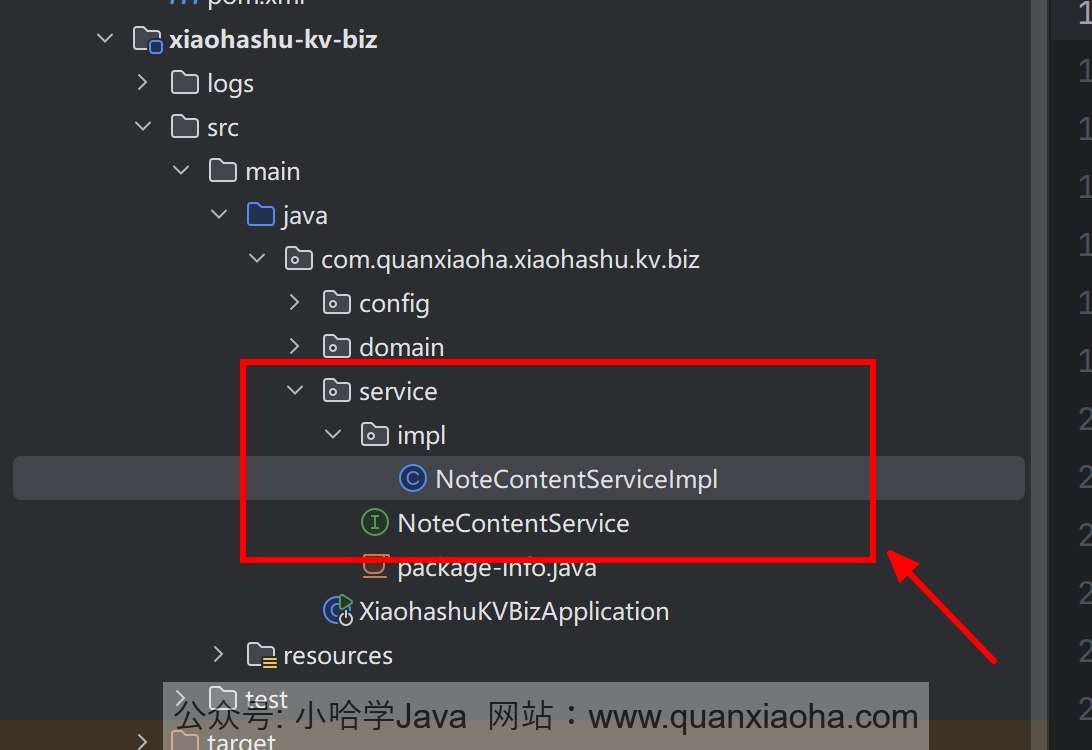
编辑 xiaohashu-kv-biz 模块,添加 /service 包,并新增 NoteContentService 业务接口,以及声明一个添加笔记内容的方法,代码如下:
package com.quanxiaoha.xiaohashu.kv.biz.service;

import com.quanxiaoha.framework.common.response.Response;
import com.quanxiaoha.xiaohashu.kv.dto.req.AddNoteContentReqDTO;

/**
 * @author: 犬小哈
 * @date: 2024/4/7 15:41
 * @version: v1.0.0
 * @description: 笔记内容存储业务
 **/
public interface NoteContentService {

    /**
     * 添加笔记内容
     *
     * @param addNoteContentReqDTO
     * @return
     */
    Response<?> addNoteContent(AddNoteContentReqDTO addNoteContentReqDTO);

}
继续添加 /service/impl 包,并添加上述业务接口的实现类 NoteContentServiceImpl , 代码如下:
package com.quanxiaoha.xiaohashu.kv.biz.service.impl;

import com.quanxiaoha.framework.common.response.Response;
import com.quanxiaoha.xiaohashu.kv.biz.domain.dataobject.NoteContentDO;
import com.quanxiaoha.xiaohashu.kv.biz.domain.repository.NoteContentRepository;
import com.quanxiaoha.xiaohashu.kv.biz.service.NoteContentService;
import com.quanxiaoha.xiaohashu.kv.dto.req.AddNoteContentReqDTO;
import jakarta.annotation.Resource;
import lombok.extern.slf4j.Slf4j;
import org.springframework.stereotype.Service;

import java.util.UUID;

/**
 * @author: 犬小哈
 * @date: 2024/4/7 15:41
 * @version: v1.0.0
 * @description: Key-Value 业务
 **/
@Service
@Slf4j
public class NoteContentServiceImpl implements NoteContentService {

    @Resource
    private NoteContentRepository noteContentRepository;


    @Override
    public Response<?> addNoteContent(AddNoteContentReqDTO addNoteContentReqDTO) {
        // 笔记 ID
        Long noteId = addNoteContentReqDTO.getNoteId();
        // 笔记内容
        String content = addNoteContentReqDTO.getContent();

        // 构建数据库 DO 实体类
        NoteContentDO nodeContent = NoteContentDO.builder()
                .id(UUID.randomUUID()) // TODO: 暂时用 UUID, 目的是为了下一章讲解压测,不用动态传笔记 ID。后续改为笔记服务传过来的笔记 ID
                .content(content)
                .build();

        // 插入数据
        noteContentRepository.save(nodeContent);

        return Response.success();
    }
}
Tip
: 逻辑比较简单,就是保存笔记内容到 Cassandra 中。需要注意的是,这里的主键暂时用的 UUID, 而不是上游服务传过来的笔记 ID, 目的是为了在下一章中方便的演示 Jmeter 压力测试。等后续开发笔记服务时,会改成存储由笔记服务传过来的笔记 ID。
新增 controller
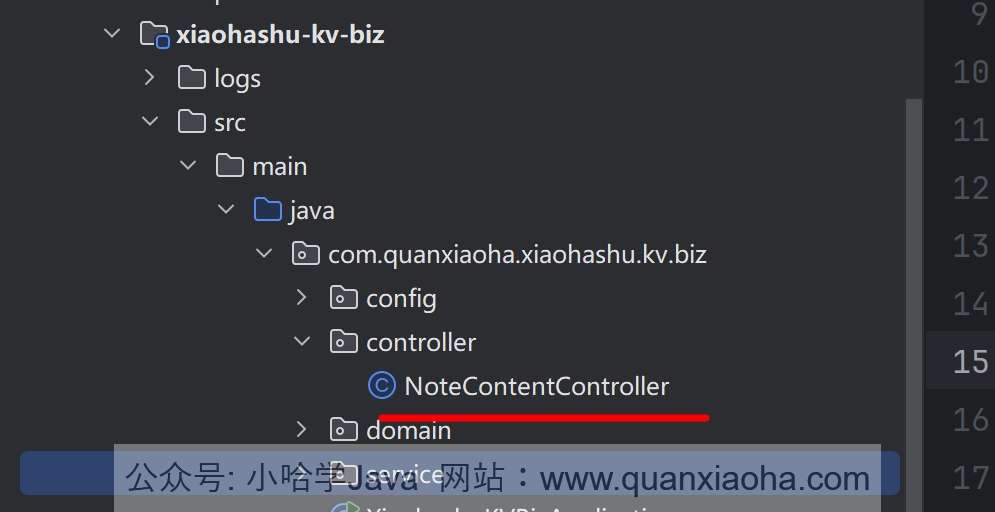
在 xiaohashu-kv-biz 模块中,添加 /controller 包,并新增 NoteContentController 控制器,创建 /kv/note/content/add 接口,代码如下:
package com.quanxiaoha.xiaohashu.kv.biz.controller;

import com.quanxiaoha.framework.common.response.Response;
import com.quanxiaoha.xiaohashu.kv.biz.service.NoteContentService;
import com.quanxiaoha.xiaohashu.kv.dto.req.AddNoteContentReqDTO;
import jakarta.annotation.Resource;
import lombok.extern.slf4j.Slf4j;
import org.springframework.validation.annotation.Validated;
import org.springframework.web.bind.annotation.PostMapping;
import org.springframework.web.bind.annotation.RequestBody;
import org.springframework.web.bind.annotation.RequestMapping;
import org.springframework.web.bind.annotation.RestController;

/**
 * @author: 犬小哈
 * @date: 2024/4/4 13:22
 * @version: v1.0.0
 * @description: 笔记内容
 **/
@RestController
@RequestMapping("/kv")
@Slf4j
public class NoteContentController {

    @Resource
    private NoteContentService noteContentService;

    @PostMapping(value = "/note/content/add")
    public Response<?> addNoteContent(@Validated @RequestBody AddNoteContentReqDTO addNoteContentReqDTO) {
        return noteContentService.addNoteContent(addNoteContentReqDTO);
    }

}
自测一波
接口开发完成后,重启 KV 键值服务。并调试一波笔记内容新增接口,看看功能是否正常,如下:

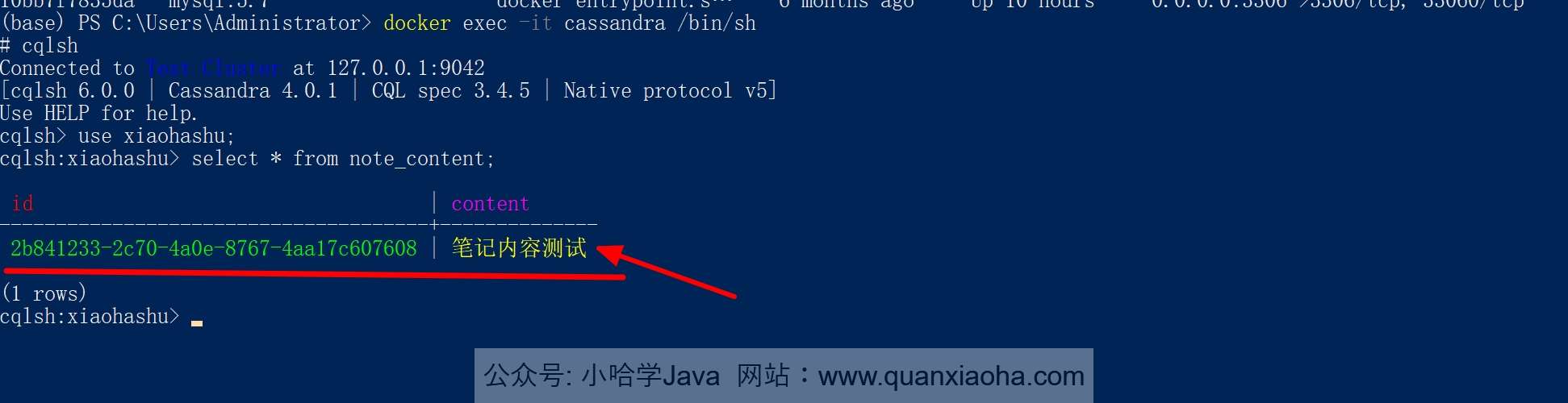
可以看到服务端响应成功,打开 Cassandra 命令行工具,查询数据是否真的插入成功了,如下图所示,没有问题。
Feign 客户端接口
为了方便其他服务调用,还需要将 Feign 接口提供出来。编辑 xiaohashu-kv-api 模块中的 pom.xml , 添加 Feign 相关依赖,如下:
		<!-- OpenFeign -->
        <dependency>
            <groupId>org.springframework.cloud</groupId>
            <artifactId>spring-cloud-starter-openfeign</artifactId>
        </dependency>

        <!-- 负载均衡 -->
        <dependency>
            <groupId>org.springframework.cloud</groupId>
            <artifactId>spring-cloud-starter-loadbalancer</artifactId>
        </dependency>
依赖添加完成后,刷新一下 Maven。
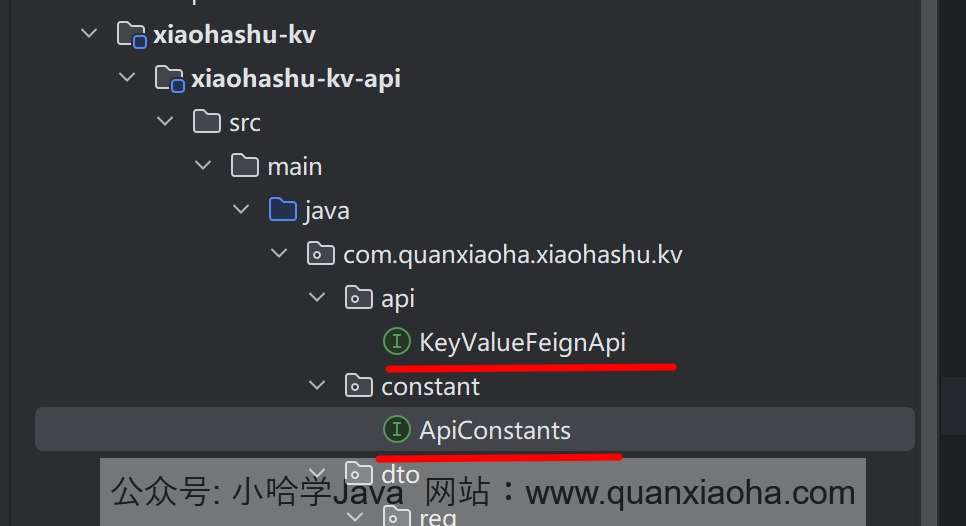
继续编辑 xiaohashu-kv-api 模块,添加 /constant 常量包,并新增 ApiConstants 接口,代码如下:
package com.quanxiaoha.xiaohashu.kv.constant;

/**
 * @author: 犬小哈
 * @date: 2024/4/13 23:23
 * @version: v1.0.0
 * @description: TODO
 **/
public interface ApiConstants {

    /**
     * 服务名称
     */
    String SERVICE_NAME = "xiaohashu-kv";
}
添加 /api 包,并创建 KeyValueFeignApi 客户端接口,将上面开发好的笔记内容新增接口提供出来,代码如下:
package com.quanxiaoha.xiaohashu.kv.api;

import com.quanxiaoha.framework.common.response.Response;
import com.quanxiaoha.xiaohashu.kv.constant.ApiConstants;
import com.quanxiaoha.xiaohashu.kv.dto.req.AddNoteContentReqDTO;
import org.springframework.cloud.openfeign.FeignClient;
import org.springframework.web.bind.annotation.PostMapping;
import org.springframework.web.bind.annotation.RequestBody;

/**
 * @author: 犬小哈
 * @date: 2024/4/13 22:56
 * @version: v1.0.0
 * @description: K-V 键值存储 Feign 接口
 **/
@FeignClient(name = ApiConstants.SERVICE_NAME)
public interface KeyValueFeignApi {

    String PREFIX = "/kv";

    @PostMapping(value = PREFIX + "/note/content/add")
    Response<?> addNoteContent(@RequestBody AddNoteContentReqDTO addNoteContentReqDTO);

}
至此,笔记内容新增接口就大致开发完成了。